Tuesday, 17 July 2018

The Advantages and Disadvantages of Wireless IP Cameras

If you have the interest in installing Amcrest wireless IP cameras, by now you should be familiar with the advantages and disadvantages of wireless IP video surveillance cameras over analog video surveillance cameras. Basically, wireless video surveillance uses a management or IP camera software to capture, view and transmit video footages over an internet connection.
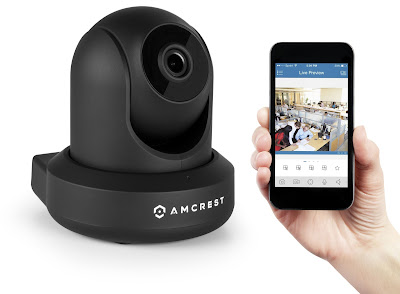
 Amcrest

One major and greatest advantage of IP cameras is their ability and capability to transmit data whether in a video or image wirelessly. This article will focus on the main advantages and disadvantages of the wireless surveillance cameras.

Advantages of Wireless Surveillance Cameras:

Broadband services - Since the camera is wireless, Wi-Fi-based wireless broadband services could be used by any public surveillance system. This includes surveillance of streets, locality, traffic junctions, etc.

Effective - Who likes wired connection with this digital era? Wireless cameras can be useful in situations where it is quite difficult or impossible to lay cables. This includes areas like museums, industrial plants, and heritage buildings.

Cost Effective and Easy Installation - Compared to wired networks involving trenching and fiber cables, wireless IP cameras are easy to maintain and install. The network connections can be deployed quickly and provide free and temporary connections to exhibitions and fairs.

Stronger and Safer - The point to point backhaul network feature could extend the network to a range of more than five kilometer over a wireless medium. The networks are quite secure these days as most of them use encryption and authentication using WPA2.

The quality of Service - Simplified to as QoS, the camera parameters can be configured for carrying real-time traffic. Basically, with these types of cameras, any real-time traffic is identified in the network and is given a higher priority over any data information traffic.

Easy To Move - Wireless IP cameras can be moved from one place to another without carrying the worry if the network or cable jack is available at the new given location. In fact, the whole wireless setup can be moved to a new location quickly and easily.
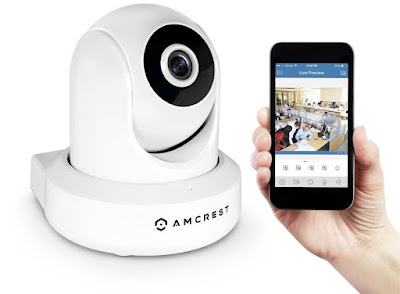
Amcrest


Here are some of The Disadvantages of Using Wireless Cameras

Interference - If the wireless network is not properly configured, there would be interference from access points operating on that same channel. The channel can be internal and neighboring AP’s. This will most likely reduce the quality of the Wi-Fi network.

Overcrowding - The commonly used Wi-Fi network band is the 2.4 GHz and has only three non-overlapping channels. This makes the network to be overcrowded. Other non-Wi-Fi devices like Bluetooth devices and microwave ovens can interfere with the wireless connectivity.

Bandwidth - The bandwidth decreases with increase in distance. Wireless networks offer sufficient bandwidth when IP surveillance cameras are placed near the wireless access points. But not all is lost; the IEEE is the latest wireless standard offering more bandwidth and increased wireless coverage distance.

Performance - The performance of wireless networks decreases considerably with any additional hop. This simply implies that the area that the network covers is limited.

There you have it. With an increase in the use of surveillance cameras, you need to understand the merits and demerits that come along with the use of the Wireless IP camera.

Source: click here

Saturday, 14 July 2018

Amcrest 1080P POE (Power Over Ethernet) Video Monitoring Security IP Camera with Pan/Tilt, Two-Way Audio, Plug & Play Setup, Optional Cloud Recording, Full HD 1080P (1920TVL) @ 30FPS, Super Wide 90° Viewing Angle and Night Vision IP2M-841EB (Black)


The Amcrest ProHD 1080p POE video camera helps you stay in touch with what you love anytime, anywhere. With its quick and easy mobile setup process, you will have secure access to your wifi ip camera video stream in no time. Stream live and playback recorded video of your home, your kids, your pets, or your business on the go with the Amcrest View app. Amcrest Cloud offers optional cloud recording with free live viewing and 4 hours of free video storage accessible from any device including Apple Mac, Windows PC, iPhone, iPad or Android devices. Amcrest cameras also record to an internal MicroSD card (not included) as well as to any Amcrest Network Video Recorder (NVR) (not included). Each Amcrest camera features two-way talk, night vision, remote pan/tilt, enhanced digital zoom, a 90º viewing angle, smart motion alerts, advanced recording options, secure SSL/HTTPS connection and AES encryption. With the Amcrest ProHD, you'll never be out of the loop again.


Features:
  • Stunning Full HD 1080P Video at 30fps. Record and Playback via local microSD Card, Amcrest or ONVIF NVR, FTP Upload, and Blue Iris. Amcrest Cloud Video Recording Service Available
  • This is a Power Over Ethernet (POE) camera and requires a separate POE Injector or POE Switch to operate. A power supply and a POE injector are NOT included, and are sold separately.
  • Quick Power Over Ethernet Setup via iPhone or Android Smartphone using the Amcrest View App (Included). Seamlessly Stream Video Directly to Your Smartphone, Tablet, Apple Mac or Windows PC.
  • Remarkable Field of View with Super Wide 90 degree Viewing Angle, Remote Pan/Tilt, Intelligent Digital Zoom, and IR LED Night Vision Up to 32 feet
  

  • Stay in Touch with Two Way Talk, Intelligent Motion Alerts, Email Alerts/Snapshots as well as Mobile and Web Apps (Safari, Firefox, IE Supported - Chrome Supported on Amcrest Cloud).

Wednesday, 11 July 2018

Amcrest 1080P WiFi Video Monitoring Security Wireless IP Camera with Pan/Tilt, Two-Way Audio, Plug & Play Setup, Optional Cloud Recording, Full HD 1080P (1920TVL) @ 30FPS, Super Wide 90° Viewing Angle and Night Vision IP2M-841S (Silver)


The Amcrest ProHD 1080p Wi-Fi video camera helps you stay in touch with what you love anytime, anywhere. With its quick and easy mobile setup process, you will have secure access to your camera's video stream in no time. Stream live and playback recorded video of your home, your kids, your pets, or your business on the go with the Amcrest View app. Amcrest Cloud offers optional cloud recording with free live viewing and 4 hours of free video storage accessible from any device including Apple Mac, Windows PC, iPhone, iPad or Android devices. Amcrest cameras also record to an internal MicroSD card (not included) as well as to any Amcrest Network Video Recorder (NVR) (not included). Each Amcrest camera features two-way talk, night vision, remote pan/tilt, enhanced digital zoom, a 90º viewing angle, smart motion alerts, advanced recording options, secure SSL/HTTPS connection and AES encryption. With the Amcrest ProHD, you'll never be out of the loop again.


Features:

  •     Stunning Full HD 1080P Video at 30fps. Record and Playback via local microSD Card, Amcrest or ONVIF NVR, FTP Upload, and Blue Iris. Amcrest Cloud Video Recording Service Available
  •     Quick WiFi Setup via iPhone or Android Smartphone using the Amcrest View App (Included). Seamlessly Stream Video and Two Way Audio Directly to Your Smartphone, Tablet, Apple Mac or Windows PC.
  •     Remarkable Field of View with Super Wide 90 degree Viewing Angle, Remote Pan/Tilt, Intelligent Digital Zoom, and IR LED Night Vision Up to 32 feet
  •     Stay in Touch with Two Way Talk, Intelligent Motion Alerts, Email Alerts/Snapshots as well as Mobile and Web Apps (Safari, Firefox, IE Supported - Chrome Supported on Amcrest Cloud).
  •     Features Sony image sensor and Ambarella processor. All wireless outdoor security cameras CE and FCC certified with UL compliant, 10-foot power supplies. Full 1-Year US Warranty and Lifetime Support Provided Directly from Amcrest.


Monday, 2 July 2018

Amcrest ProHD Outdoor 3-Megapixel (2304 x 1296P) WiFi Wireless IP Security Bullet Camera - IP67 Weatherproof, 3MP (1080P/1296P), IP3M-943B (Black)


The Amcrest ProHD 3MP Wi-Fi bullet video camera helps you stay in touch with what you love anytime, anywhere. With its quick mobile setup process, you will have secure access to your camera's video stream in no time. Stream live and playback recorded video of your home, your kids, your pets, or your business on the go with the Amcrest View app. Amcrest Cloud offers optional cloud recording with free live viewing and 4 hours of free video storage accessible from any device including Apple Mac, Windows PC, iPhone, iPad or Android devices. This Amcrest camera can also record to a microSD card (not included) and uploads to an FTP as well as records to any Amcrest (or ONVIF compliant) Network Video Recorder (NVR) (not included). Each Amcrest camera features night vision, enhanced digital zoom, a 100º viewing angle, smart motion alerts, email alerts and snapshots, advanced recording options, secure SSL/HTTPS connection and wireless AES WPA2 encryption. With the Amcrest ProHD, you'll never be out of the loop again. Amcrest cameras are compatible together with Foscam cameras only when using Amcrest Cloud, Amcrest NVRs, Blue Iris for Windows PC, Live Cams Pro for iOS and TinyCam Monitor for Android.


  Features:

  •     Magnificent Ultra High Definition 3-Megapixel / 1296P Video at 20fps (2MP/1080p at 30fps) with Latest Ambarella Chipset for Beyond-Amazing Picture Quality and Clarity.
  •     Embedded microSD card slot that supports up to 64GB microSD cards (not included).
  •     Quick and Easy wifi security camera Setup via iOS or Android Device with Amcrest View App, Stream Video Directly to Your Smartphone, Tablet, Apple Mac or Windows PC
  •     Great Field of View with Wide 100º Viewing Angle, Intelligent Digital Zoom and Night Vision upto 98ft
  •     Stay in Touch with Intelligent Motion Alerts as well as Mobile and Web Apps, Secure SSL Connectivity with HTTPS and AES Encryption
  •     Cloud Recording and Playback with Free Live Viewing and 4 Hours of Free Storage via AmcrestCloud, Record and Playback Directly on Amcrest NVR (Not Included)

To Know More about Wifi IP camera Visit us

Home Security Tips


If you are looking for a wireless security camera, you need to check out the variety of cameras that you can find from Amcrest. You will find a wide selection of amcrest security cameras to keep your home safe.

Amcrest


Introduction

It is easy to secure your home using inexpensive, but effective, tools. Home security is a must have for every homeowner out there. You do not have to spend a lot of money in order to make your home safe. Some of the best ideas are simple ideas. Reducing the number of break-ins that happen in your neighborhood can improve your home's value. No one wants to live in an area where there is a high amount of crime, which is why investing in a wireless security camera is a great idea.

Insurance

You need to use a video camera in order to take inventory on everything you have in your home. Many smartphones have video cameras that produce adequate videos. You need to walk slowly around your home and record furniture, jewelry and electronics. When doing this, you need to make sure that you record the serial numbers of all valuables.You should then save the video and make a backup in case your insurance adjuster asks for proof that you owned certain items.

Doors

You need to set up a barking dog monitor. To do this, set up the alarm next to your door by securing it to the wall with screws. When someone comes within a certain distance to your door, the alarm will sound like a dog barking to ward off would-be burglars. You should also install double-cylinder locks on your doors, as they are more secure than deadbolts.

Windows

Windows are common entryways that burglars are going to use in order to get into your home. You should install window locks on every window and sliding glass door. You should also place vibration alarms on the glass. Doing this will prevent thieves from opening the windows or doors. If a burglar breaks or knocks against a window, the alarm will sound off.

Outside Your Home

Burglars are going to have an easier time breaking into homes that have a lot of hiding places outdoors. You need to keep shrubbery around your home to a minimum. You should also install a motion detector floodlight near your front door to illuminate anyone coming at night, which may scare off people looking to break into your home during the night time hours.

Surveillance

One inexpensive method of room surveillance is to utilize the tools on a computer. This is a good thing to do if you are leaving for the day and want to make sure others in your home are not stealing things from you. There are many computer programs you can purchase to put on your laptop to monitor your room the computer is in. You can also get a wireless outdoor security cameras, such as ones found from Amcrest for all of your surveillance needs.

Saturday, 30 June 2018

Importance of Knowing Your Neighborhood


If you want to keep your home and property safe from criminals and intruders, it is important that you know your neighborhood and the types of things that are going on in and around your neighborhood – it is very likely that you will be unpleasantly surprised on what is going on right in your own neighborhood. Just as important as it is to know your neighborhood, it is just as important that you have a Amcrest security wireless camera that is monitoring your home and property for you.

Amcrest Security


Being Cautious

You are going to know when something is strange or out of place in your neighborhood. If you see a strange car in your neighborhood with many people inside, you should be aware of things like this. This is why it is important that you know your neighborhood. You need to know what cars and people should be in your neighborhood. You should always be cautious of any changes and shifts in the baseline of regular things that go on in your neighborhood. If you are leaving for work in the early morning and you see a strange car parked around the corner, you should not ignore the strange car. Maybe circle the block and see if it is still there when you return. It would definitely be worth you being a few minutes late for work and blame it on the traffic than for you to ignore the car and something happen, such as a break-in into your home.

How to Get Out in Your Neighborhood

One great way to get out in your neighborhood in order to scope what all you see is by walking your dog. By doing this, you can learn your neighbor’s patterns, what cars they drive, how many people are typically around a residence and more. If you do not have a dog, you can just talk strolls in order to learn your neighborhood. When you are out and about in your neighborhood, meeting your neighbors is never going to a bad thing. You may even learn some things about your neighbors and you may want to stay in touch with them or may even want to stay far away from them. You should also know what construction vehicles and lawn mowing companies are known to come into your neighborhood. You should not be afraid to call the police on a strange person or vehicle that may seem to look out of place. It is better to be paranoid than to later regret not preventing something from happening by calling the police. Professional criminals are going to stakeout your neighborhood. They are going to observe the patterns of when people come and go in your neighborhood and when the best time to hit them is. If something feels wrong in your neighborhood, go with your gut. 

Conclusion

It is very important to get to know your neighborhood to know what all activity goes on. Besides knowing your neighborhood, it is also good to get a wireless outdoor security cameras to help keep an eye on your neighborhood activity.

Thursday, 28 June 2018

Why an IP Camera Is the Way to Go


You cannot be at home to protect your family and property all the time and that is why home surveillance is such an important addition in your home. One of the best options is an internet protocol camera, better known as an IP camera.


What It Is

An Amcrest IP camera is a digital video camera that sends data via a wifi or networked connection. IP cameras offer live streaming of video, notifications of events in or around your home, better image quality, fewer cable requirements and two-way communication. A WiFi IP Camera may for you if you are up to a DIY project.  With the use of a wifi IP camera, you can check on your pets, keep an eye on your children, keep a close eye on your nannies, housecleaning crew or other workers.  

Types of IP Cameras

IP cameras are webcams, being that they let you stream live video via the internet. Not all IP cameras are the same. Most IP cameras are wireless. Surveillance of any area outside requires an outdoor IP camera. They are basically the same as regular fixed IP cameras but they have protective housing.

The best IP cameras come equipped with a variety of features. You want to look for a wifi IP camera with a video resolution of at least 720. You also want it to record in color. Another good feature to look for is a wifi IP camera that comes with a free mobile app for either iOS or Android operating systems. Of course, a wifi IP camera that has a good battery life is definitely a plus. 

Video and Audio

When choosing an IP camera, you want to find one that has a video that will worth in the level of light for its use. Cameras with higher frame rates produce smoother video. It is also important to consider what you are using your IP camera to monitor. There are certain times when you may need a wide field of view. Digital zoom is an important feature when you need to see a closer view of a scene. Motion detection is vital when you want to use an IP camera for security. Movement can trigger an IP camera to start recording which is definitely a plus. If sound is important to you, you want to choose an IP camera with sound detection. The cameras will start recording when there is noise that it picks up, which can be good when camera's field of view cannot be captured. 

Ease of Operation

One huge thing that you want to look for in an IP cameras is one that is easy to operate. This is especially true if you are not very tech savvy. 

Warranty and Customer Support

Of course, before deciding upon the Wifi IP camera for your home, you want to make sure that the camera is going to come with a solid warranty. You also want to make sure you are able to reach someone at the customer service department or support department if you have questions on how to operate the camera should you not be able to figure something out yourself.